
Introduction to the Northern Lights
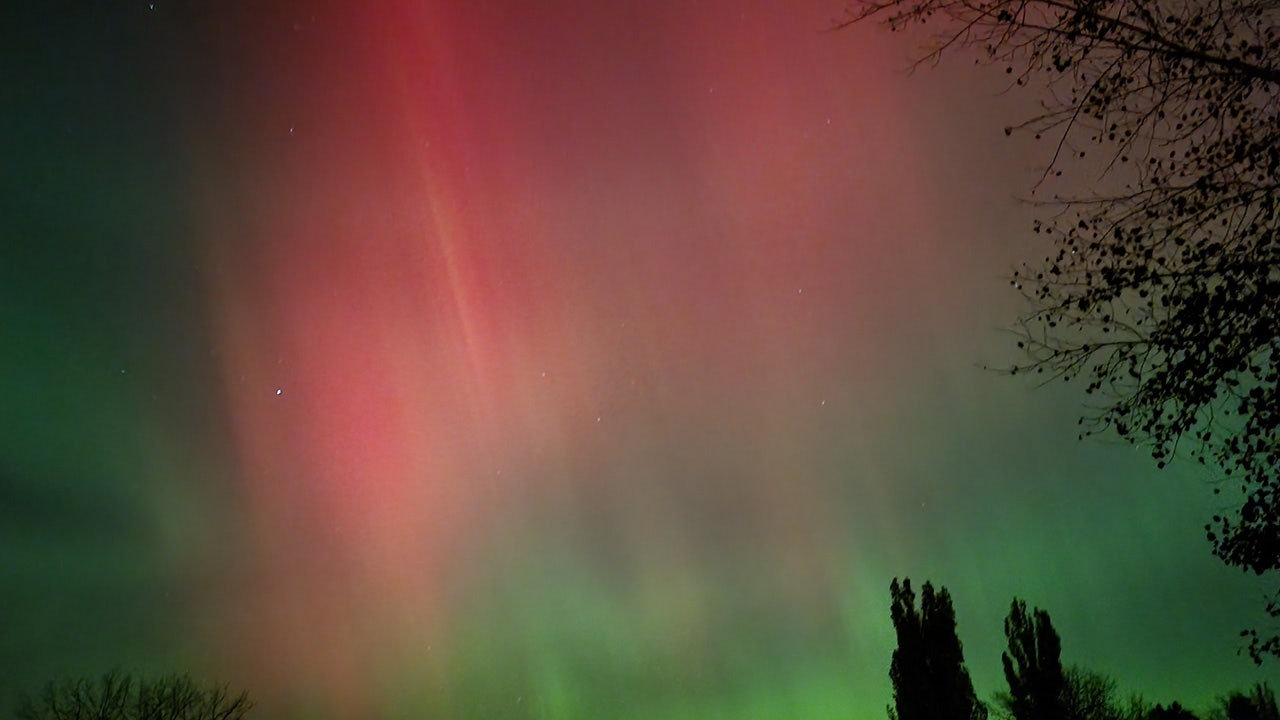
The northern lights once again dazzled the night sky on Wednesday, Nov. 13, 2025. FOX viewer Christina from Worland, Wyoming shared a photo of the celestial display. Tonight, parts of the U.S. have another chance to see the northern lights.
Where to See the Northern Lights in the US
According to the latest NOAA aurora forecast map, the northern lights may be visible in 10 states:
- Alaska
- Washington
- Idaho
- Montana
- North Dakota
- South Dakota
- Minnesota
- Wisconsin
- Michigan
- Maine
Best Times to See the Northern Lights
NOAA says the best time to potentially see northern lights from the U.S. is from 6 p.m. – 6 a.m. CT. A geomagnetic storm watch was issued by the NOAA on Thursday, with predicted storm categories reaching strong and severe. The storm categories are:
- Nov. 13: G3 (strong) category storm
- Nov. 14: G1 (minor) category storm
Viewer Photos of the Northern Lights
Several FOX viewers shared their photos of the northern lights, including Nishika Malhorta from the San Francisco area and Jenn & Tom Ashcraft from Arizona.
Northern Lights Live Webcams
If you are not in an area of the country where the northern lights will be visible, you can take in the celestial site through several live webcams, including:
- Allsky Aurora Camera at the University of Alaska in Fairbanks
- Polar Bears International camera — Churchill, Canada
- Landhotel, South Iceland
- Greenland Airports
How to Photograph the Northern Lights with Your Phone
To capture the northern lights with your phone, follow these tips:
- Turn Off the Flash: Locate and turn off the lightning bolt symbol on your camera screen.
- Use Night Mode: If your phone has a dedicated Night Mode, use it. Night Mode automatically uses a longer exposure time to gather light.
- Ensure Stability: Any movement during a night shot will cause blurriness. Use a tripod, or brace your phone against a sturdy surface.
- Use the Timer: To prevent camera shake from tapping the screen, use the timer feature.
Manual Adjustments for iPhones
To access manual controls on an iPhone camera, tap the arrow symbol at the top of the screen. A row of controls will appear at the bottom:
- Select Exposure: Tap the exposure icon (often the same moon symbol as Night Mode).
- Set Max Exposure: A slider will appear. Drag the slider to the "Max" setting. This forces the longest possible exposure time, allowing the most light (and color) to hit the lens.
Conclusion
The northern lights are a breathtaking natural phenomenon that can be seen in parts of the US. With the right equipment and settings, you can capture stunning photos of the northern lights with your phone. Whether you’re in an area where the northern lights are visible or watching from a live webcam, this celestial display is sure to amaze.