

Getting Noticed on YouTube: The Power of Video Editing
To succeed on YouTube, you need to stand out from the crowd. With thousands of videos uploaded every minute, it’s tough to get noticed. That’s why having high-quality video content is crucial. A smart and quick workflow is essential, and it all starts with a great YouTube video editor. This tool is your magic wand, turning raw footage into a polished story that hooks your viewers.
The world of video editing software is constantly evolving, with new AI features emerging all the time. These advancements make advanced techniques simple, but choosing the right software can be overwhelming. In this article, we’ll review the top five YouTube video editors, covering everything you need to know to find your perfect tool.
Top 5 YouTube Video Editors
1. Vmake: The Smart Online Cleanup Toolkit
Vmake is the future of video editing software. It uses smart AI video tools to automate long tasks, making it more than just a timeline editor. Vmake is a full suite that cleans, enhances, and markets your video, making it an essential tool for efficiency.
Vmake
- Best For: Social media creators, small businesses, and those who reuse old or low-quality footage often.
- Key Features: Vmake offers a range of useful tools, including an AI Image Generator, AI Hook Generator, and cleanup features that boost blurry footage up to 4K.
- Format: Online tool with a subscription required.
- Pros: Powerful AI features, excellent tools for cleaning old footage, and a focus on marketing assets like thumbnails.
- Cons: Requires a fast and stable internet connection.
The Importance of the Vmake Video Watermark Remover
Clean footage is critical in content creation. What if an old clip has a logo or timestamp that needs to be removed? Vmake’s video editor allows you to remove watermarks from videos effortlessly with AI, using smart “inpainting” to find and remove unwanted logos perfectly.
Vmake also offers other smart tools, including a video background remover that isolates subjects precisely without needing a green screen, and a Noise Reducer that cleans both video and audio. Everything edited with Vmake looks and sounds professional.
2. Adobe Premiere Pro: The Industry Leader
Adobe Premiere Pro is still the professional choice, part of the Creative Cloud family. It works perfectly with After Effects and Photoshop, making it essential for those who require high-quality graphics or advanced effects.
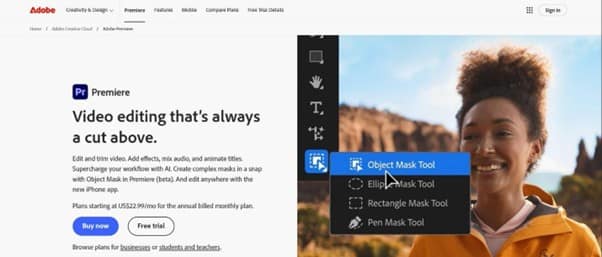
Adobe Premiere Pro
- Best For: Serious YouTubers, big agencies, and those who need total control over every frame.
- Key Features: Multi-camera editing, Lumetri Color for amazing color control, and a fully customizable workspace.
- Format: Subscription-based, with a monthly payment.
- Pros: Unmatched power and features, constant updates, and a huge community with tutorials.
- Cons: Hard to learn, requires a powerful computer, and the monthly cost adds up quickly for new users.
3. DaVinci Resolve: Free Power, Pro Quality
Blackmagic Design’s DaVinci Resolve is an amazing tool that started with Hollywood color grading and has evolved into a full, non-linear editor. It challenges paid services, and the best part is that the free version has more features than most competitors.